











 Help
 Get the free app
Help your items sell with less work. Auto Offers sends private discounts to interested buyers. Auto Price Drops gradually lowers your public prices over the first four weeks after listing. You can use either one or both.
Auto OffersAuto Offers can send your chosen discount when eligible buyers show new interest by loving an item, adding it to their bag, making an offer, commenting, or messaging about it. Your public listing price stays the same.
Curtsy checks eligibility and recent offers before sending, so not every interaction sends another offer. To reach eligible interested buyers now, use Send offers in Quick Promote.
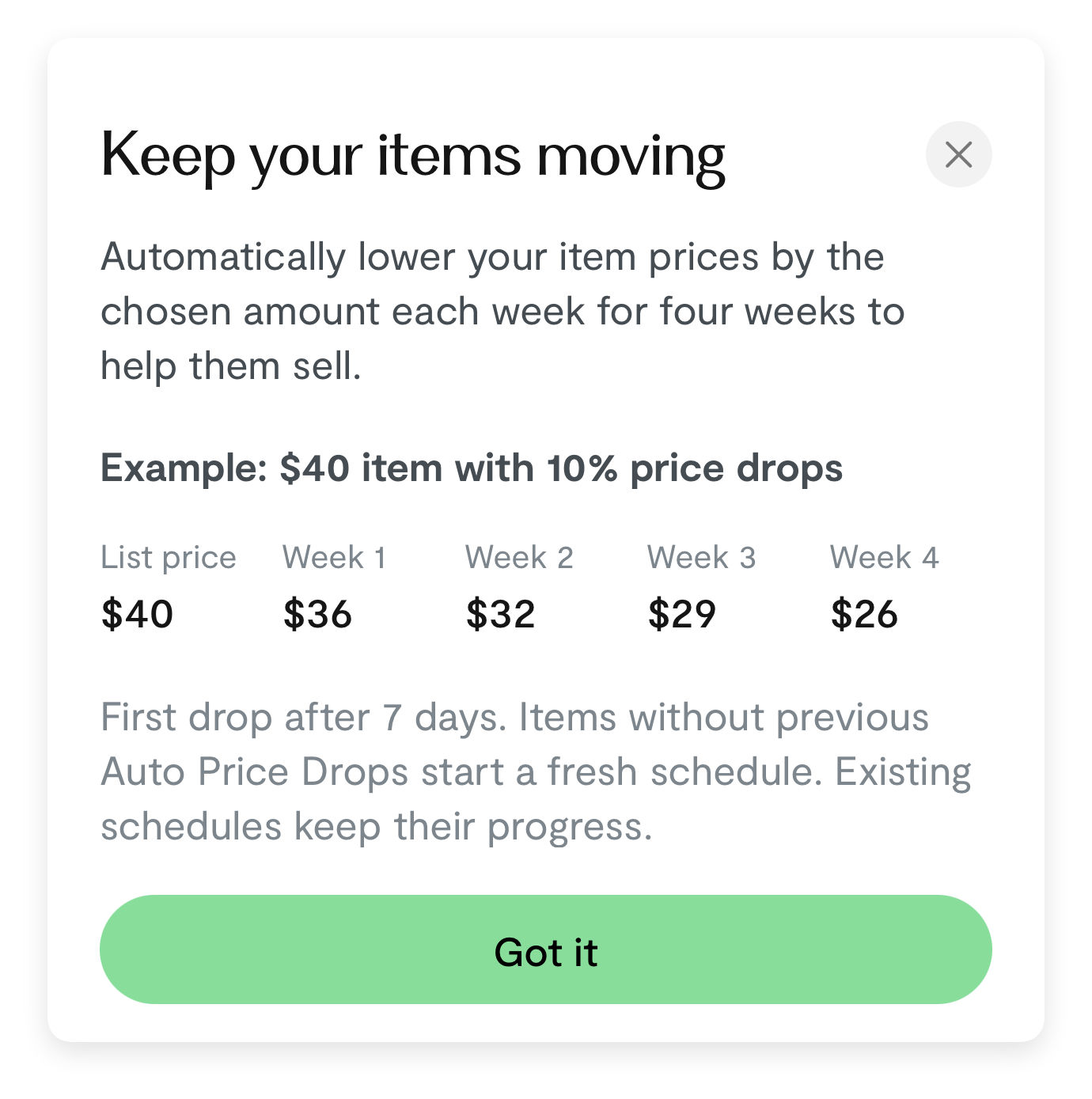
Choose 10%, 15%, 20%, or 25% off each week for four weeks. Each drop lowers the current public price. The first drop is after seven days.
New listings use their first four weeks. Older items without previous Auto Price Drops start a fresh four-week schedule when you turn the feature on. Items with previous Auto Price Drops keep their progress. Changing the percentage does not restart the schedule.
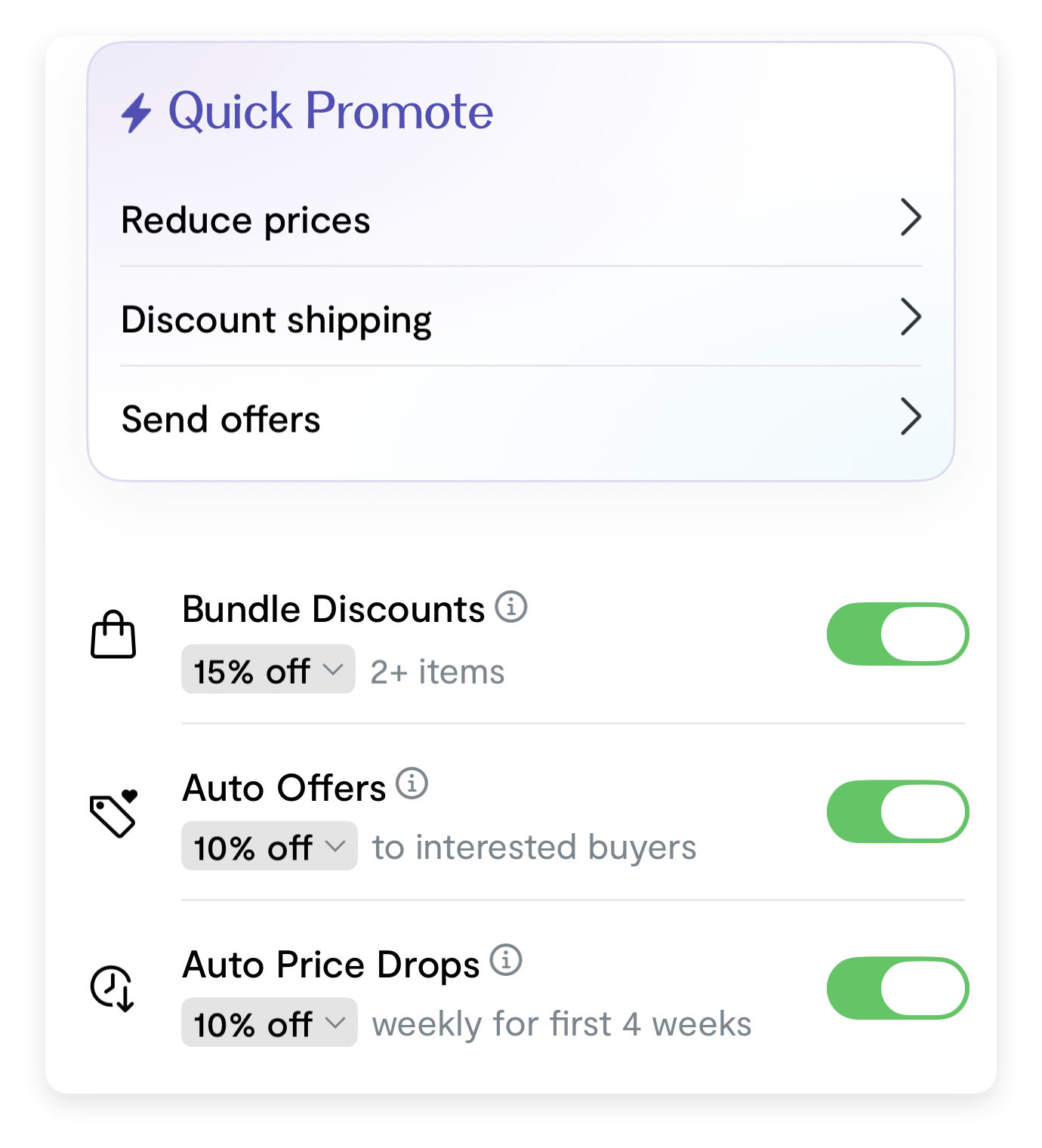
Head to the Sell tab to turn each feature on or off and choose its percentage for your closet. Enabling it applies the settings to your existing unsold items and sets the default for new listings.
You can then change either feature for one item in its promotion settings. For example: if closet-wide Auto Offers is on, turning it off for one dress keeps that dress off while your other items stay on. Later turning the closet feature on or off, or changing its percentage while it is on, can update that item again.
Changing the percentage while the closet switch is off only saves the default; it does not turn the feature on or change existing items.
Imported listingsGo to Sell → Import from other apps → Manage to choose Auto Offers and Auto Price Drops for future imports only. Existing imported listings keep their settings; use the closet or individual item controls to change those.
For future imports, your latest choice wins: changing the import setting overrides the closet default, and later turning the closet-wide feature on or off overrides the import choice. Changing only the closet-wide percentage does not replace a separately saved import choice.
For example, turn Auto Offers on for your closet, then off in import settings: your existing items stay on, and newly imported items will be off.
Changing your mindTurning a feature off stops future automatic activity for the affected items. It does not raise prices that already dropped or take back offers already sent. Only available items with eligible pricing can be promoted.
For up to 24 hours after enabling a closet-wide feature, turning it off may restore the previous item settings. The confirmation tells you when this applies. Later individual item changes are kept. Restoring settings does not reverse price drops or sent offers.